Choosing the right Android emulator can make a big difference to PC gaming. A good emulator can give you smooth gameplay at 120 FPS. However, the wrong setup can cause lag, stuttering, and bad frame drops.
Among Windows emulators, LDPlayer has a long history as a lightweight emulator focused on performance. However, users often see the name LDPlayer Lite online. They may also find modified or stripped-down versions of LDPlayer.
So, many users want to know how LDPlayer Lite differs from standard LDPlayer.
To understand the difference, you need to look at system architecture and resource use. You also need to consider background processes, features, compatibility, and stability.
What Is LDPlayer?
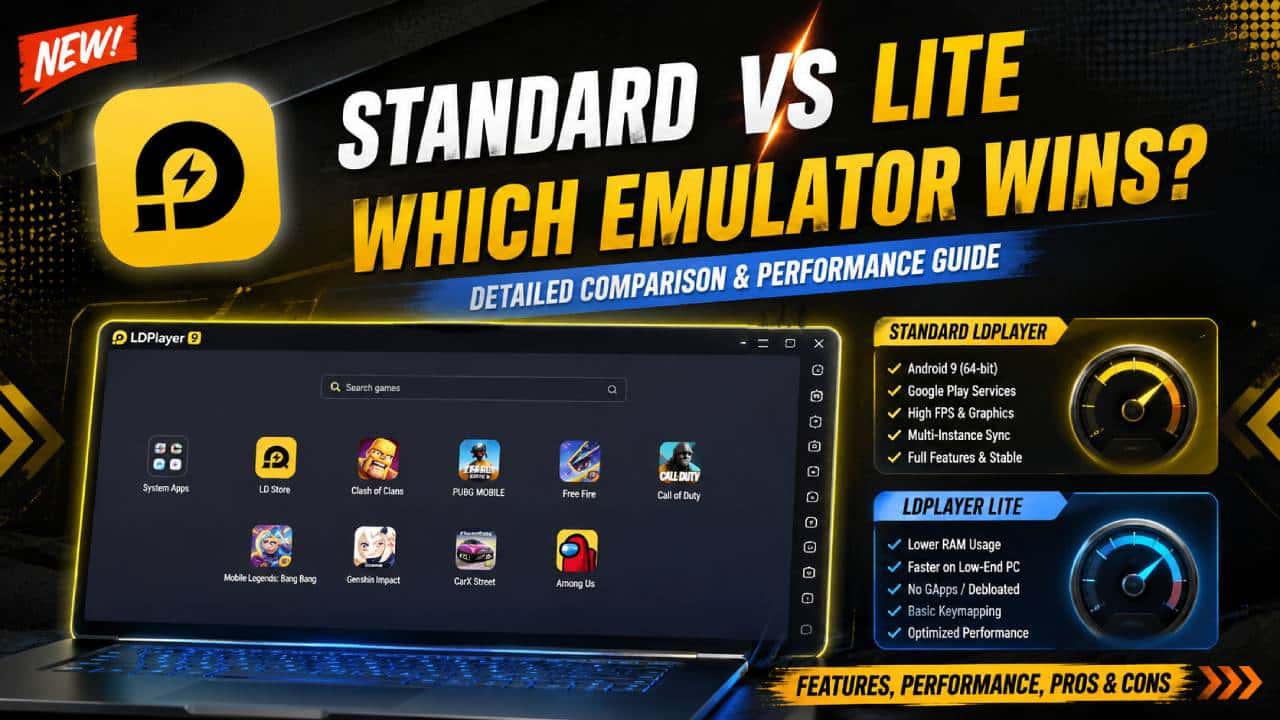
LDPlayer is an Android emulator made mainly for playing mobile games on Windows PCs.
It uses a customized VirtualBox engine with hardware acceleration. In addition, it uses Virtualization Technology, such as Intel VT-x and AMD-V.
Standard LDPlayer versions run different Android kernels. Older builds use Android 5.1 or Android 7.1. Meanwhile, newer versions use Android 9 or Android 11.
+-------------------------------------------------------+
|                    LDPlayer (Standard)                |
|  +--------------------+  +-------------------------+  |
|  | Graphics Engine    |  | Full Feature Set        |  |
|  | - Vulkan & OpenGL  |  | - Multi-Instance Sync   |  |
|  | - High-FPS Render  |  | - Macro Recorder        |  |
|  +--------------------+  +-------------------------+  |
|  +-------------------------------------------------+  |
|  | Integrated Ecosystem                            |  |
|  | - Google Play Services + LD Store Ecosystem     |  |
|  +-------------------------------------------------+  |
+-------------------------------------------------------+
Core Features of Standard LDPlayer
Graphics Engines: LDPlayer includes support for DirectX and OpenGL/Vulkan rendering backends. Therefore, users can select a graphics option that works well with their hardware.
LDMultiplayer & Synchronizer: This feature lets you run several emulator instances at the same time. It can also copy inputs from one main instance to secondary instances.
Macro Automation & Keymapping: LDPlayer includes a built-in script recorder. It also offers custom keymapping for keyboards, mice, and gamepads.
System Integration: Standard LDPlayer includes Google Play Services and Google Framework. In addition, it includes the proprietary LD Store for downloading apps.
What Is “LDPlayer Lite”?
Official LDPlayer channels mainly focus on major versions such as LDPlayer 9. This version combines 64-bit and 32-bit architecture on Android 9.
Meanwhile, older versions such as LDPlayer 3 use Android 5.1. These versions can work better on low-end computers.
When people say “LDPlayer Lite,” they usually mean one of two things.
Legacy Low-End Builds, such as LDPlayer 3: These are official lighter versions for weaker PCs. They suit dual-core CPUs and systems with 4 GB of RAM or less.
Custom / Debloated Community Builds: These are unofficial or modified LDPlayer versions. Their creators remove background services, telemetry, Google Play Services, and recommended game bundles.
As a result, these versions aim to reduce resource use on low-end hardware.
+-------------------------------------------------------+
|                    "LDPlayer Lite"                    |
|  +--------------------+  +-------------------------+  |
|  | Streamlined Core   |  | Stripped Features       |  |
|  | - Direct OpenGL    |  | - Basic Keymapping      |  |
|  | - Lower RAM Alloc  |  | - Single/Limited Multi  |  |
|  +--------------------+  +-------------------------+  |
|  +-------------------------------------------------+  |
|  | Minimal System Layer                            |  |
|  | - No GApps / Manual APK Sideloading             |  |
|  +-------------------------------------------------+  |
+-------------------------------------------------------+
Key Differences: Technical Breakdown
| Feature / Metric | Standard LDPlayer (LDPlayer 9) | LDPlayer Lite / Legacy Builds |
|---|---|---|
| Android Version | Android 9.0, unified 64-bit / 32-bit | Android 5.1 / Android 7.1, 32-bit priority |
| Minimum RAM Requirement | 4 GB, 8 GB recommended | 2 GB, 4 GB recommended |
| Idle RAM Usage | ~1.5 GB – 2.5 GB | ~600 MB – 1.0 GB |
| Google Play Services | Pre-installed and fully enabled | Omitted, disabled, or replaced with microG |
| Multi-Instance Scaling | High resource overhead per instance | Optimised for mass multi-instance farming |
| Graphics API | Vulkan & OpenGL ES 3.2 support | OpenGL ES 2.0 / basic DirectX mapping |
| App Compatibility | High, including modern 64-bit titles | Medium, with problems in modern 64-bit-only titles |
Resource Allocation and Performance Analysis
1. CPU & Memory Overhead
Standard LDPlayer runs several background processes. These processes support features such as Google Account synchronization and push notifications.
In addition, the emulator can perform store update checks in the background. These processes still use CPU resources while LDPlayer sits idle.
In contrast, a “Lite” configuration removes or disables non-essential system daemons. These can include com.google.android.gms, advertising services, and content recommendation providers.
As a result, the emulator uses fewer CPU execution threads. It can also lower its base VRAM usage.
Therefore, the host PC keeps more resources available for processing game frame rates.
2. Graphics Rendering Engine Differences
Standard LDPlayer: Standard LDPlayer uses advanced pipeline optimizations for modern games. Examples include Call of Duty: Mobile, PUBG Mobile, and Genshin Impact.
It also supports high-refresh-rate output up to 120Hz or 240Hz. In addition, it can handle high-resolution texture maps.
Lite Configurations: Lite configurations use simpler graphics pipelines.
For example, they often disable high-level shadow rendering and post-processing bloom. They may also reduce high-polygon mesh settings.
These changes can help prevent frame stuttering on integrated GPUs, such as Intel HD Graphics.
Compatibility and Trade-Offs
Choosing between standard LDPlayer and an LDPlayer Lite variant involves several trade-offs. In particular, users need to think about compatibility, security, features, and stability.
Advantages of Standard LDPlayer
Zero Sideloading Hassle: Google Play Services lets users install supported games with fewer extra steps.
This is important for games that need SafetyNet authentication or Google Account login.
Modern Game Support: The emulator supports 64-bit applications. Therefore, it works with newer games that no longer support older Android architectures like Android 5 or Android 7.
Security & Updates: Standard LDPlayer receives official security patches from the developer. It also gets new features and game-specific bug fixes.
Risks and Limitations of Lite/Debloated Builds
Broken Play Store Authentication: Removing Google Play Services can stop some games from logging in correctly.
For example, games using Google Cloud Save or Google Play Games may not work as expected.
64-Bit Incompatibility: Older Lite builds, such as LDPlayer 3, use a 32-bit Android kernel.
Therefore, modern games made only for arm64-v8a architectures may fail to install. They may also crash when you try to start them.
Third-Party Security Risks: Unofficial modified “Lite” executables can create security risks.
For example, files from unofficial third-party forums may contain malware or unwanted telemetry.
Troubleshooting & Optimization Guide
You do not need an unsafe modified build to reduce LDPlayer’s resource use.
Instead, you can change the built-in settings in standard LDPlayer. These changes can make the emulator work more like a “Lite” setup.
[Standard Installation]
          │
          ├──► Step 1: Open Settings ──► Lower CPU Cores & RAM Allocation
          │
          ├──► Step 2: Display Setup ──► Lower Resolution (e.g., 1280x720 DPI 240)
          │
          ├──► Step 3: Game Settings  ──► Disable High Frame Rate Mode
          │
          └──► Step 4: System Apps   ──► Disable Google Play Services (When not needed)
Problem 1: Virtualization Technology (VT) Disabled
Symptom: You may notice lag, micro-stutters, and very high CPU usage of 90% or more.
Fix: Restart your PC and enter the BIOS/UEFI.
Usually, you can enter it by pressing F2, F12, or Del during startup.
Next, open System Configuration or CPU Settings. Then enable Intel Virtualization Technology, also called VT-x.
For AMD systems, enable AMD-V or SVM Mode.
Problem 2: Game Crashes on Launch (App Quits Instantly)
Symptom: The game may open with a black screen. Then it closes and returns to the emulator desktop.
Fix:
- Open LDPlayer Settings using the Gear Icon on the right toolbar.
- Go to Advanced.
- Increase RAM allocation to at least 3072MB or 4096MB.
- Make sure the instance uses 64-bit Android if the game needs ARM64 support.
Problem 3: Google Play Services Battery/CPU Drain
Symptom: Your PC may use a lot of RAM even when no games are running.
Fix: Open Android Settings inside LDPlayer and go to Apps.
Next, select Google Play Services. Then choose Force Stop or Disable when you do not need the service.
This option can work for games that use guest accounts or other login methods.
Examples include Facebook, Twitter/X, or direct developer accounts.
Which Version Should You Choose?
Choose Standard LDPlayer (LDPlayer 9) if:
Your PC has a dedicated graphics card, such as an NVIDIA GTX/RTX or AMD Radeon. It should also have at least 8 GB of system RAM.
Standard LDPlayer also makes sense if you play modern, graphics-heavy 64-bit games. This is especially useful when those games require Google Play login.
Finally, choose it when you want regular software updates and security patches. You also get full features such as macro recording and multi-instance synchronization.
Choose LDPlayer Lite / Legacy Configurations if:
A Lite or legacy configuration may suit older hardware better.
For example, it can help on an older PC or ultrabook with integrated graphics. It may also suit computers with 4 GB of RAM or less.
These configurations can also work for lightweight 2D games and Gacha games. In addition, they can suit automation scripts where graphics quality matters less than resource use.
Finally, they can help when running dozens of instances on a dedicated server. They can also suit multi-instance farming rigs where each instance needs to use as little RAM as possible.